
Form Analytics Pro for Gravity Forms
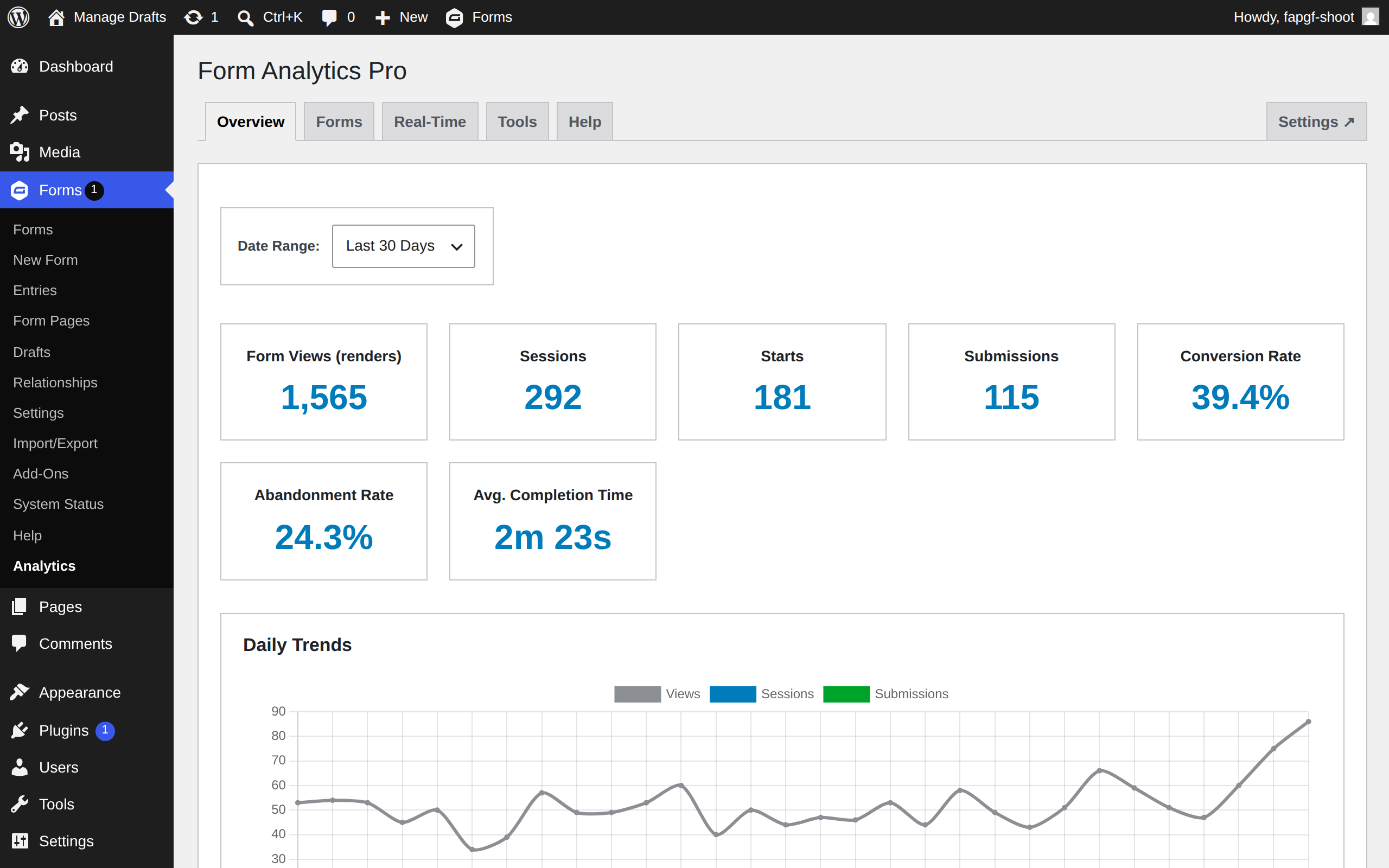
Transform your forms into data-driven conversion machines with Form Analytics Pro — the only analytics solution that works instantly without any configuration. Track every interaction, from first view to final submission, with powerful features like real-time monitoring, field-level analytics, and multi-page conversion funnels. See why form owners are switching to the analytics plugin that actually shows you what's happening in your forms, not just what happened after.
🚀 v2.0.0 released on Jul. 21, 2026
➕ Pairs well with List Form Pages

Screenshots
What does it do?
Frequently asked questions
Form Analytics Pro is a comprehensive analytics solution built specifically for Gravity Forms that provides instant insights into your form performance without requiring any external services or complex configuration. It offers zero-configuration tracking, real-time monitoring, field-level analytics, and conversion funnel analysis—all while keeping your data private and secure within your WordPress database.
Unlike Google Analytics, Form Analytics Pro:
Is specifically designed for Gravity Forms with deep integration
Requires zero configuration—it works immediately upon activation
Stores all data locally in your WordPress database (no third-party data sharing)
Provides field-level interaction tracking (not just form submissions)
Shows real-time form activity and user sessions
Offers dedicated form conversion funnels for multi-page forms
Doesn't require any coding knowledge or tag manager setup
No! Form Analytics Pro is designed to be completely user-friendly. Simply activate the plugin and navigate to Forms > Form Analytics Pro to start viewing your analytics. There's no configuration required, no tracking codes to install, and no external accounts to set up.
Form Analytics Pro vs. Gravity Forms Google Analytics Add-On:
- ✅ No Google Analytics account required
- ✅ Field-level interaction tracking (GA add-on only tracks events)
- ✅ Real-time monitoring dashboard
- ✅ Built-in conversion funnels (GA requires custom setup)
- ✅ Zero configuration (GA requires account setup and configuration)
- ✅ GDPR-compliant by default (data stays in your database)
- ✅ No sampling limitations
Form Analytics Pro vs. MonsterInsights Forms Addon:
- ✅ Gravity Forms-specific features and deep integration
- ✅ Field abandonment tracking
- ✅ Session-based tracking for better accuracy
- ✅ Real-time activity monitoring
- ✅ No dependency on Google Analytics
- ✅ Lower cost (no MonsterInsights Pro license required)
- ✅ Lighter weight (no general analytics overhead)
Form Analytics Pro vs. Gravity Forms Entries Dashboard:
- ✅ Performance metrics (completion time, field time)
- ✅ Tracks views and abandonment (not just submissions)
- ✅ Field-level interaction analytics
- ✅ Conversion funnel visualization
- ✅ Real-time monitoring
- ✅ Historical trending and comparisons
Form Analytics Pro includes several features not found in other solutions:
- Privacy-First Design: All data stored locally, GDPR-compliant options
- Zero-Configuration Setup: Works immediately without any setup
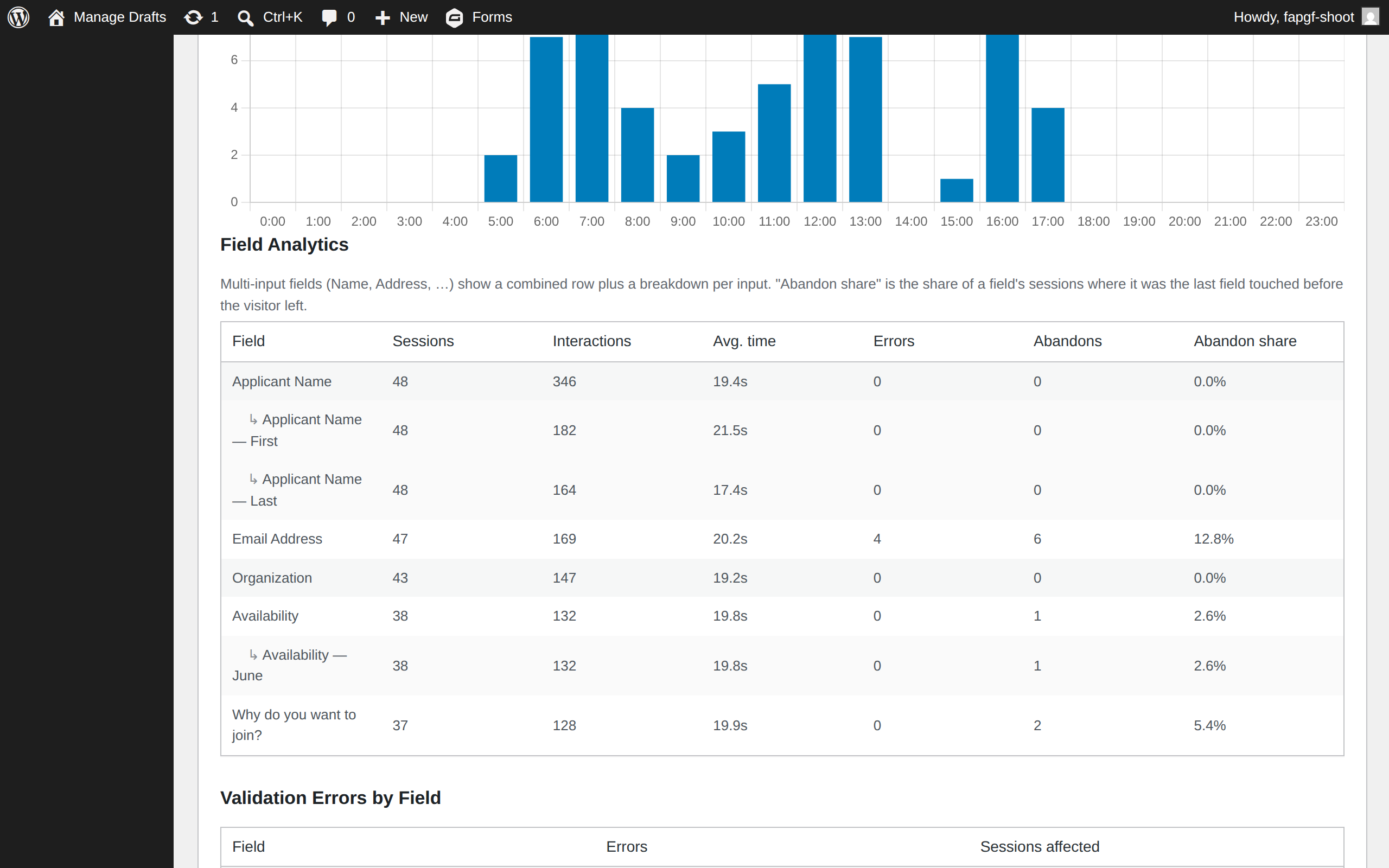
- Per-Input Field Analytics: See friction down to individual inputs (Name and Address parts)
- Abandonment Analytics: Track where and when users leave forms
- Session-Based Metrics: Conversion and abandonment measured against unique visitors, not raw page loads
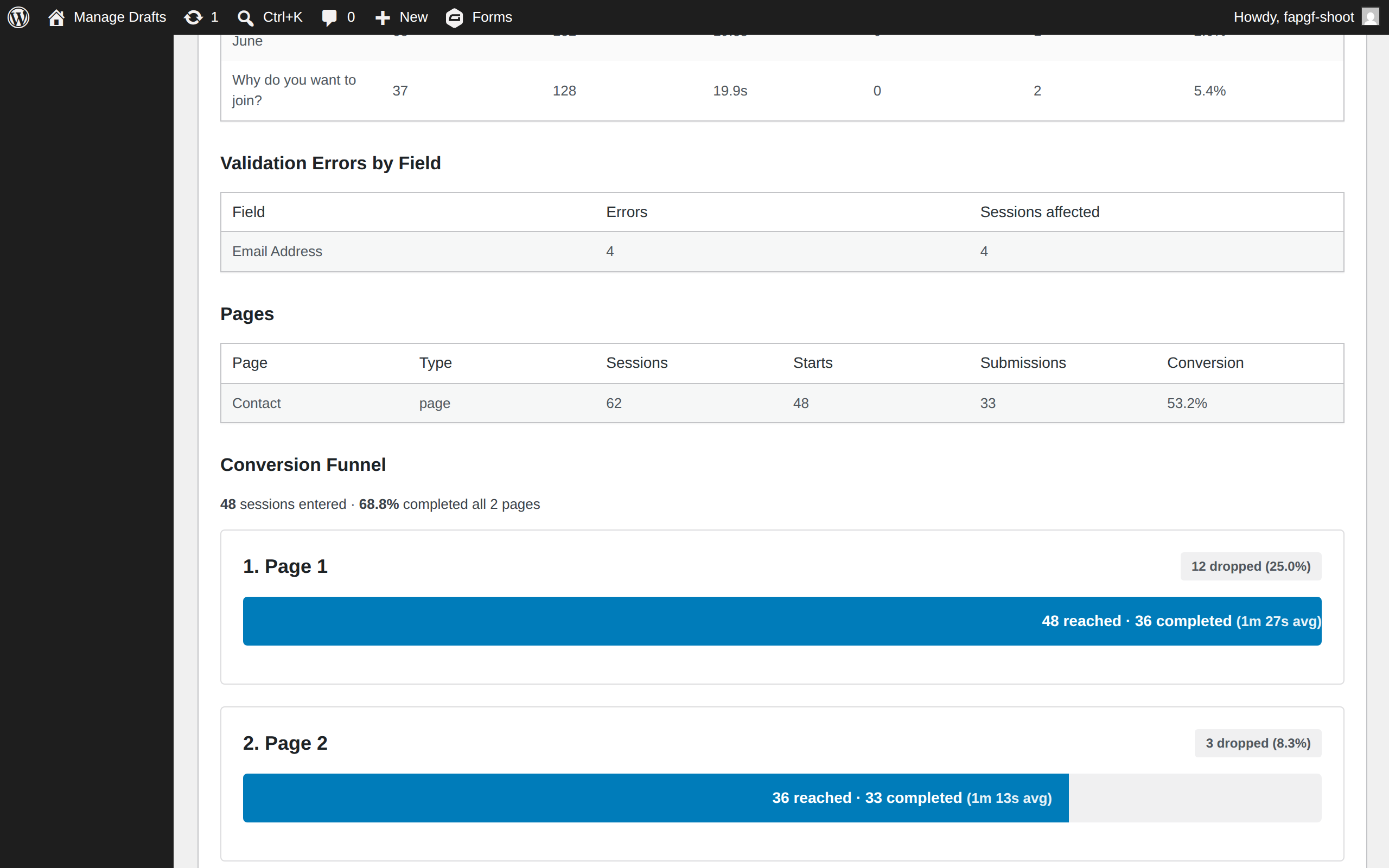
- Multi-Page Funnel Analysis: Visualize drop-offs between form pages
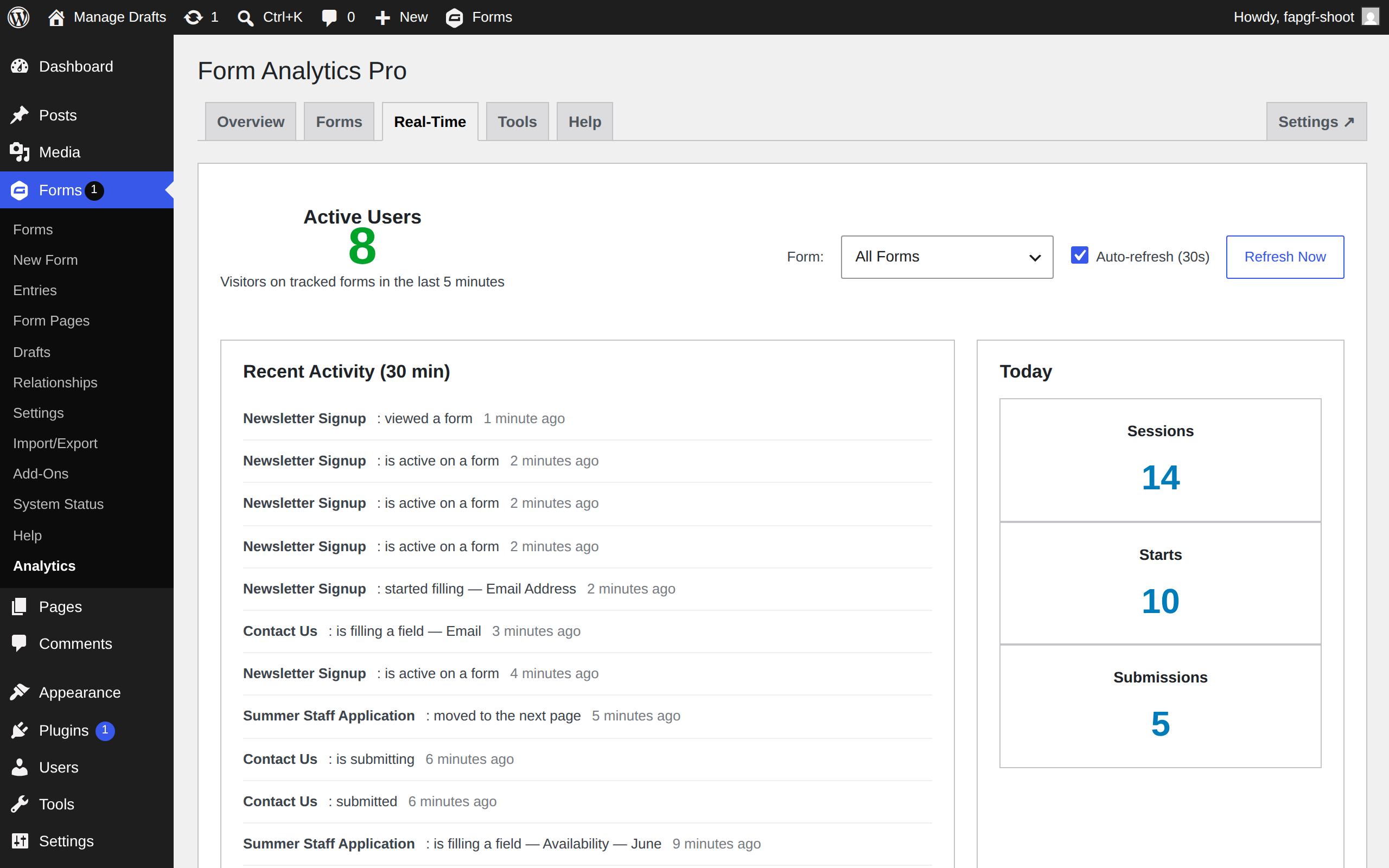
- Real-Time Dashboard: Monitor active form users live
No. The plugin is highly optimized with:
- Smart caching for frequently accessed data
- A single lightweight, dependency-free script (no jQuery)
- Loads only on pages that contain a form
- Asynchronous tracking that doesn't block page rendering
- Efficient database queries with proper indexing
- Form Analytics Pro is designed to scale:
- Aggregated storage (one row per visitor per field, not one per event)
- Batched automatic cleanup that stays fast on large tables
- Automatic data cleanup based on retention settings
- Optimized database structure with proper indexes
- Bulk data operations for efficient processing
Yes — by design. The tracker embeds nothing time-sensitive in your pages, so fully cached and CDN-served pages keep tracking correctly, including:
- Cloudflare
- WP Rocket
- W3 Total Cache
- WP Super Cache
- LiteSpeed Cache
Yes! Form Analytics Pro is designed with privacy in mind:
- Respects WordPress privacy settings
- All data is stored locally in your WordPress database
- No data is sent to third-party services
- IP addresses anonymized by default (last portion removed)
- Field values are never collected — only which fields were touched
- Configurable data retention periods (30 days to 2 years)
- Administrators excluded from tracking by default
Comprehensive metrics including:
- Trending: Daily, weekly, monthly comparisons
- Form Performance: Views, submissions, conversion rates, average completion time
- Field Analytics: Interactions, time spent, abandonment points, error rates
- User Behavior: Session duration, page views per session, return visitors
- Conversion Funnels: Page-by-page conversion for multi-page forms
- Real-Time Data: Active users, current form interactions, live submissions

