

Every photographer, designer, and content creator eventually outgrows the default WordPress gallery block. You need lightbox support, custom layouts, lazy loading, and maybe even client proofing or print sales. The gallery plugin you choose determines how your images actually look on the page, how fast they load, and how much control you keep over the presentation. Below is a hands-on comparison of five leading gallery plugins so you can pick the one that fits your workflow and budget.
Quick Comparison
| Feature | Envira Gallery | NextGEN Gallery | FooGallery | Modula | Meow Gallery |
|---|---|---|---|---|---|
| Best For | Speed-focused bloggers and small businesses | Professional photographers selling prints | Developers and performance-minded creators | Designers wanting custom grid layouts | Minimalists who want zero bloat |
| Free Version | Yes (limited layouts) | Yes (thumbnail + slideshow) | Yes (6 layouts + lightbox) | Yes (custom grid + masonry) | Yes (6 layouts including justified) |
| Pro Starting Price | $39.50/year | $69.50/year | $39.99/year | $34/year | ~$29/year |
| Layouts Available | Masonry, mosaic, grid, justified, filmstrip | Thumbnail, slideshow, mosaic, masonry, filmstrip, tiled | Responsive, masonry, justified, grid, carousel, slider | Creative grid, custom grid, columns, slider | Masonry, justified, tiles, square, cascade, carousel |
| Video Support | YouTube and Vimeo embeds | Limited (via third-party) | Yes (PRO Expert tier) | YouTube, Vimeo, self-hosted | No native video |
| eCommerce | WooCommerce add-on | Built-in print sales + Stripe/PayPal | WooCommerce (Commerce tier) | No native eCommerce | No |
| Lightbox | Envira Lightbox (built-in) | Pro Lightbox with slideshows | FooBox (free + Pro) | Customizable lightbox | Compatible with third-party |
| Gutenberg Support | Yes (dedicated block) | Yes (dedicated block) | Yes (live preview block) | Yes (dedicated block) | Yes (native block) |
| Active Installs | 100,000+ | 500,000+ | 200,000+ | 100,000+ | 20,000+ |
Gallery Layouts and Visual Customization
The layout engine is what separates a gallery plugin from a glorified image grid. Each plugin takes a different approach to arranging photos on the page.
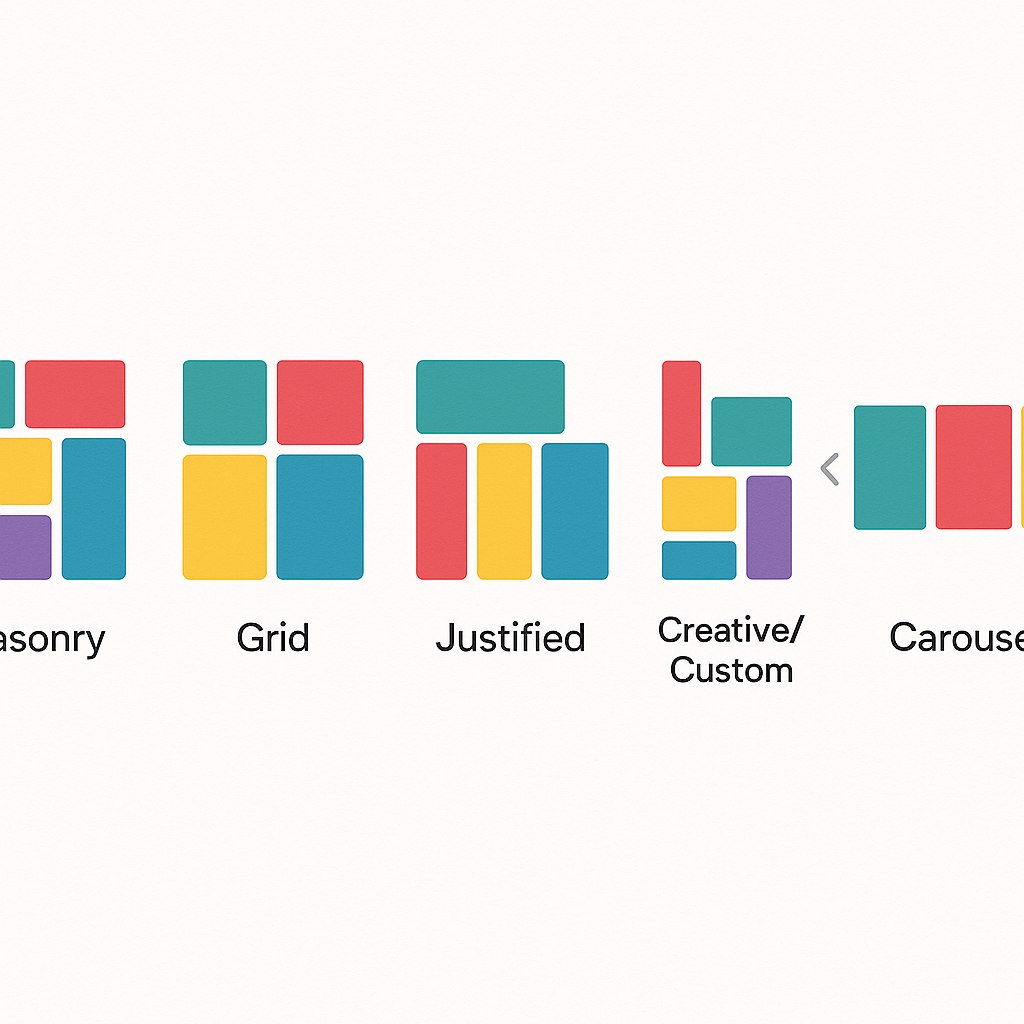
Envira Gallery offers a drag-and-drop builder with masonry, mosaic, grid, and justified layouts. Its strength is simplicity: you upload images, pick a layout, adjust spacing, and publish. The interface stays clean even when you are managing hundreds of photos. Social media integrations include sharing to Facebook, Pinterest, and TikTok.
NextGEN Gallery provides the widest variety of display options with 84 gallery themes and 25 animation presets. You get thumbnail grids, tiled galleries, mosaic layouts, filmstrips, and a pro slideshow. The downside is that all those options create a steeper learning curve. Photographers who need advanced album organization and slideshow control will appreciate the depth, but casual users may feel overwhelmed.
FooGallery stands out for its modular architecture. The free version includes six layout types, and PRO tiers add filtering, dynamic galleries, and a carousel. What makes FooGallery unique is its live Gutenberg preview, which lets you see exactly how the gallery looks while editing. Developers appreciate the custom CSS hooks and template overrides for fine-grained control.
Modula takes the most design-forward approach. Its custom grid builder lets you drag and resize individual images to create asymmetric, magazine-style layouts that no other plugin replicates out of the box. It includes over 50 hover effects, adjustable gutter sizes, shadow effects, and border controls. If visual differentiation matters more than raw feature count, Modula is hard to beat.
Meow Gallery is the leanest option, built on modern CSS without legacy code. It offers masonry, justified, tiles, square, cascade, and horizontal layouts in the free version, with carousel and GPS map views in Pro. The map layout displays geotagged photos on a map, which is a niche feature that travel photographers will find genuinely useful. The tradeoff is fewer customization options compared to the larger plugins.
Performance and Page Speed
Gallery plugins load images, scripts, and stylesheets, all of which affect Core Web Vitals. Page speed matters for both user experience and search rankings, so this category carries real weight.
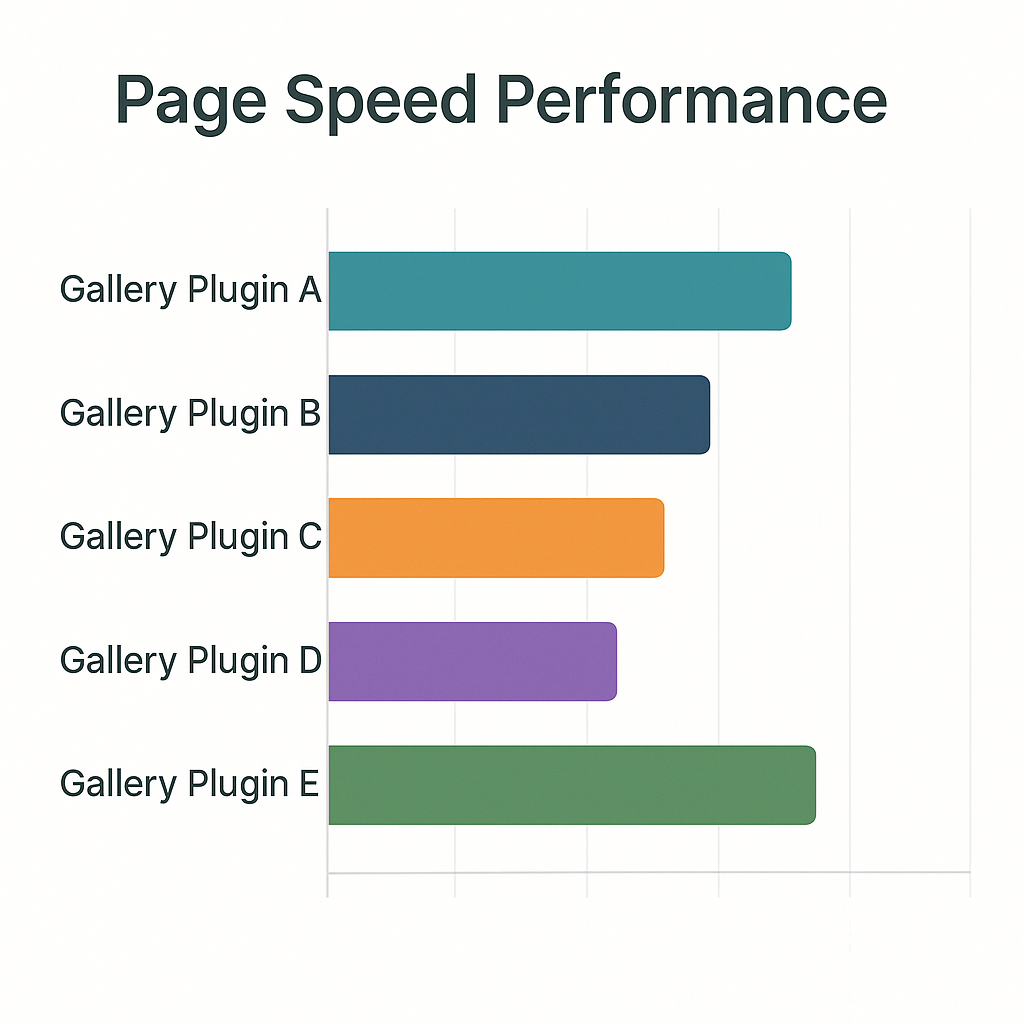
FooGallery leads the performance conversation. It uses progressive lazy loading, retina-ready image generation, and minimal JavaScript. The plugin scores consistently well in Lighthouse tests and has been optimized specifically for LCP and CLS metrics. Its modular design means you only load the features you actually use.
Meow Gallery matches or beats FooGallery in raw load times thanks to its pure CSS approach. It avoids heavy JavaScript frameworks entirely, which keeps the initial page weight low. For sites where every kilobyte matters, Meow Gallery is the lightest option available.
Envira Gallery includes built-in image compression, lazy loading, and CDN support. It is not as lean as FooGallery or Meow Gallery, but it handles optimization automatically without requiring manual configuration. For most sites, the performance difference is negligible. If your images need further compression before they reach the gallery plugin, an image optimization plugin can handle that separately.
Modula offers a Speed UP extension powered by ShortPixel compression and StackPath CDN delivery. Out of the box, Modula is heavier than the other options because of its advanced grid rendering and hover effects. The Speed UP add-on compensates for most of this overhead, but it requires a separate setup step.
NextGEN Gallery is the heaviest plugin in this comparison. Its extensive feature set loads additional scripts and stylesheets that impact page speed, particularly on archive pages displaying multiple galleries. NextGEN has improved its performance in recent versions, but sites with strict speed budgets should test carefully before committing.
Professional and eCommerce Features
If you sell prints, license images, or work with clients who need to approve photos before delivery, this section determines your shortlist.
NextGEN Gallery dominates this category. Its Pro plan includes built-in payment processing through Stripe and PayPal, automated print fulfillment through partner labs, image proofing for client review, tax calculation, and Lightroom synchronization. No other gallery plugin offers this level of eCommerce functionality without third-party add-ons. Photographers running a business from their WordPress site should start their evaluation here.
Envira Gallery connects to WooCommerce for selling photos and offers a proofing add-on for client approvals. The integration works, but it requires WooCommerce as a dependency, which adds complexity and overhead compared to NextGEN’s self-contained approach.
FooGallery includes WooCommerce support in its Commerce tier, along with watermarking and right-click protection for image security. It is a solid option if you already run WooCommerce and want to add gallery sales without installing another plugin.
Modula provides image proofing and password-protected galleries through its extensions, making it suitable for client-facing photography work. However, it lacks native payment processing, so you would need WooCommerce or another solution to handle transactions.
Meow Gallery does not include eCommerce or proofing features. It is a display-only gallery plugin, which keeps it simple but limits its usefulness for commercial photography workflows.
Ease of Use and Learning Curve
A gallery plugin you struggle to configure is a gallery plugin you will eventually abandon. Setup experience matters, especially for non-technical users.
Modula earns the top spot for ease of use. Its drag-and-drop grid builder is intuitive from the first interaction, and galleries look polished with default settings. You can create a professional-looking gallery in under two minutes without touching any advanced options.
Envira Gallery follows closely with its streamlined drag-and-drop interface. The admin panel is clean and logically organized. Adding images, choosing a layout, and configuring lightbox settings takes only a few clicks. Envira also provides a setup wizard for first-time users.
Meow Gallery is simple by design. You create a gallery using the standard WordPress block editor, pick a layout, and adjust a few settings. The lack of advanced options means there is less to learn but also less to customize.
FooGallery sits in the middle. The interface is clean and well-documented, but the modular architecture means you need to understand which features ship with which tier. Developers will feel at home; casual users may need to spend time with the documentation.
NextGEN Gallery has the steepest learning curve. The admin interface includes gallery management, album organization, display settings, eCommerce configuration, and print fulfillment setup. The plugin documentation is thorough, but expect to invest time upfront if you want to use the full feature set.
Pricing Breakdown
Every plugin here offers a free version. The question is whether the premium features justify the cost for your specific use case.
| Plugin | Free Version | Entry Plan | Mid-Tier Plan | Top Plan |
|---|---|---|---|---|
| Envira Gallery | Basic layouts and lightbox | $39.50/year (1 site) | $69.50/year (3 sites, watermarking, tagging) | $199.50/year (25 sites, all features) |
| NextGEN Gallery | Thumbnails, slideshows, albums | $69.50/year (Starter) | $99.50/year (Plus, engagement tools) | $139.50/year (Pro, eCommerce) or $349.50 lifetime |
| FooGallery | 6 layouts, basic lightbox | $39.99/year (Starter) | $79.99/year (Expert, video + filtering) | $99.99/year (Commerce, WooCommerce) |
| Modula | Custom grid, masonry, lightbox | $34/year (Starter) | $64/year (Trio, 3 sites) | $94/year (Business, 25 sites) |
| Meow Gallery | 6 layouts including justified | ~$29/year (Pro, carousel + map) | N/A | N/A |
Best value for casual users: Meow Gallery Pro at around $29 per year gives you layouts and a carousel without paying for features you will never use. FooGallery Starter at $39.99 per year is also competitive.
Best value for photographers: NextGEN Gallery Pro at $139.50 per year replaces the need for a separate WooCommerce setup, payment plugin, and print fulfillment service. The lifetime option at $349.50 pays for itself within three years.
Best value for designers: Modula Starter at $34 per year delivers the most visually distinctive galleries at a moderate price point.
Which Gallery Plugin Should You Choose?

Choose Envira Gallery if you want a reliable, well-rounded gallery plugin with good performance and simple setup. It works well for bloggers, small business sites, and anyone who values a clean admin experience over advanced features.
Choose NextGEN Gallery if you are a professional photographer who needs to sell prints, manage client proofing, or sync with Lightroom. The built-in eCommerce tools justify the higher price for anyone running a photography business.
Choose FooGallery if page speed is your top priority or you want developer-level control over gallery rendering. The modular architecture and live Gutenberg preview make it a strong choice for performance-conscious sites and agencies managing multiple client projects.
Choose Modula if visual impact matters most. The custom grid builder and hover effects create galleries that look noticeably different from every other WordPress site. Designers and creative agencies will get the most value here.
Choose Meow Gallery if you want the lightest possible gallery plugin with no unnecessary features. Travel photographers will appreciate the GPS map layout, and minimalists will enjoy the pure CSS rendering approach.
Every plugin on this list offers a free version, so the most practical next step is to install the one or two that match your priorities and test them with your own images before committing to a premium plan. Once your images are organized, you may also want a media library plugin to keep your backend tidy as your gallery grows.
