
Pangram for Gravity Forms
Introducing Pangram for Gravity Forms. Anyone who reads submissions for a living now reads with one question in the back of the mind: did a person write this? Editors, contest judges, teachers, and the people who run a guest-post form all ask it, and they answer it the slow way, pasting each piece into a detector and carrying the number back by hand. This add-on does the pasting. Every entry goes to Pangram, and the answer comes back into Gravity Forms.
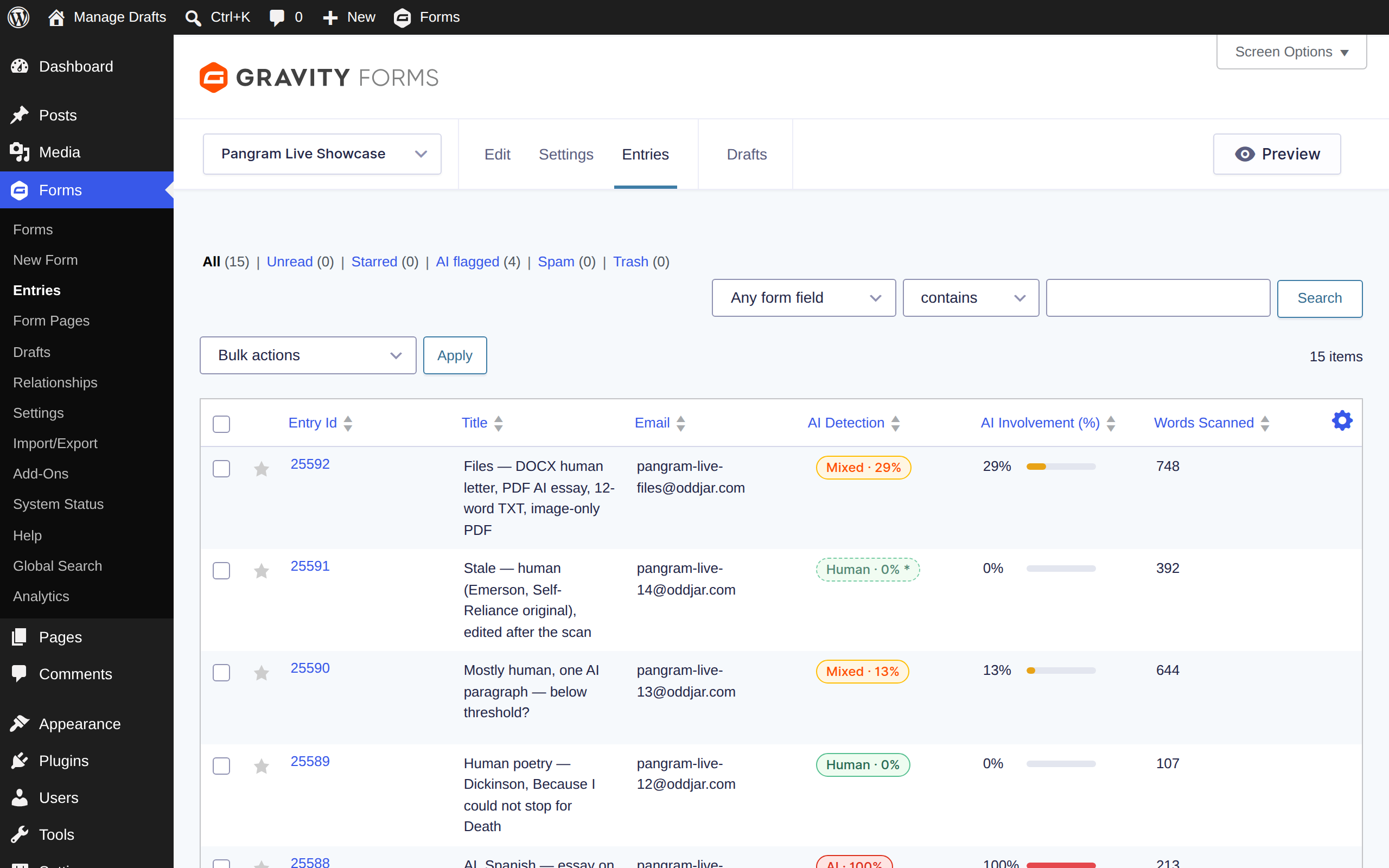
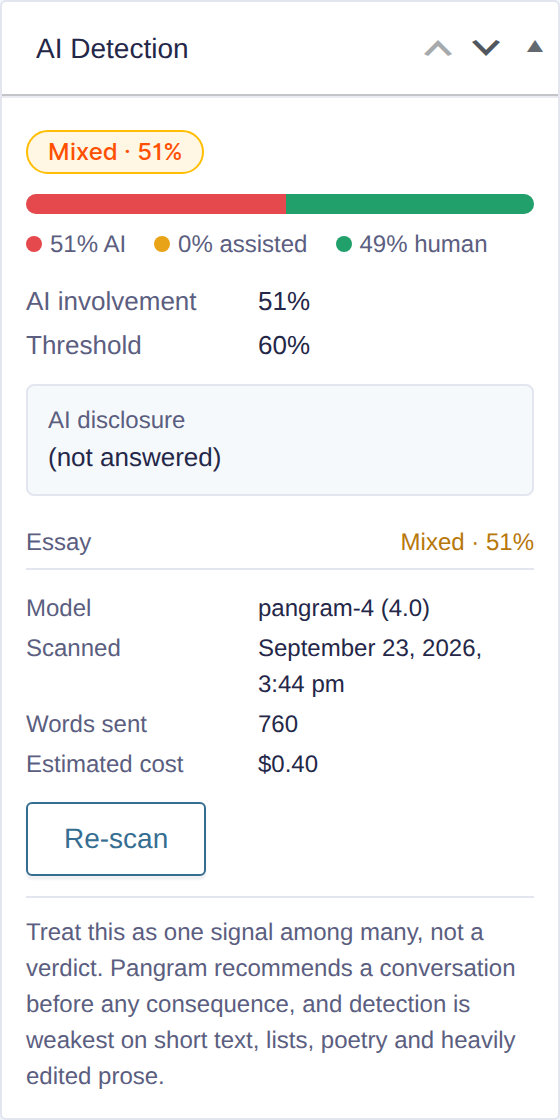
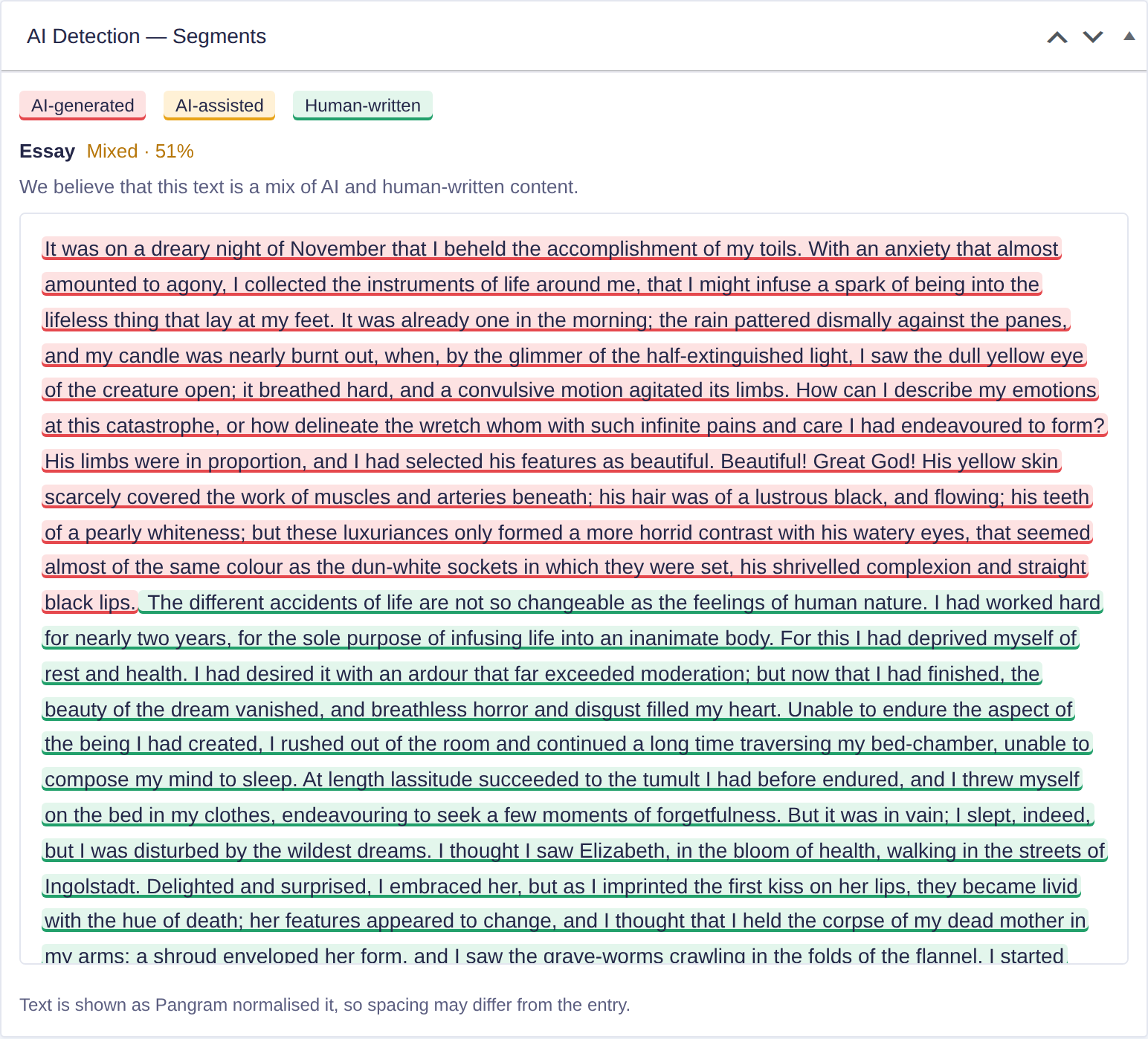
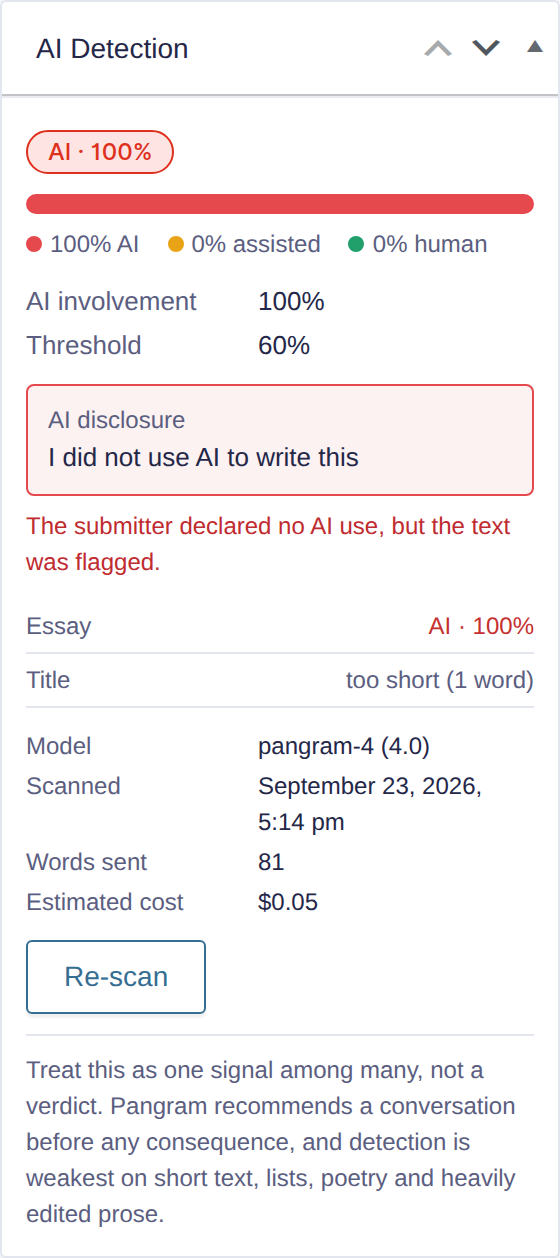
A verdict in the entries list, the passages that earned it on the entry, and the actions to match: hold the post, flag the spam, email the editor.
🚀 Now at version 1.0.0 (Released 9/23/2026)

Screenshots
What does it do?
Frequently asked questions
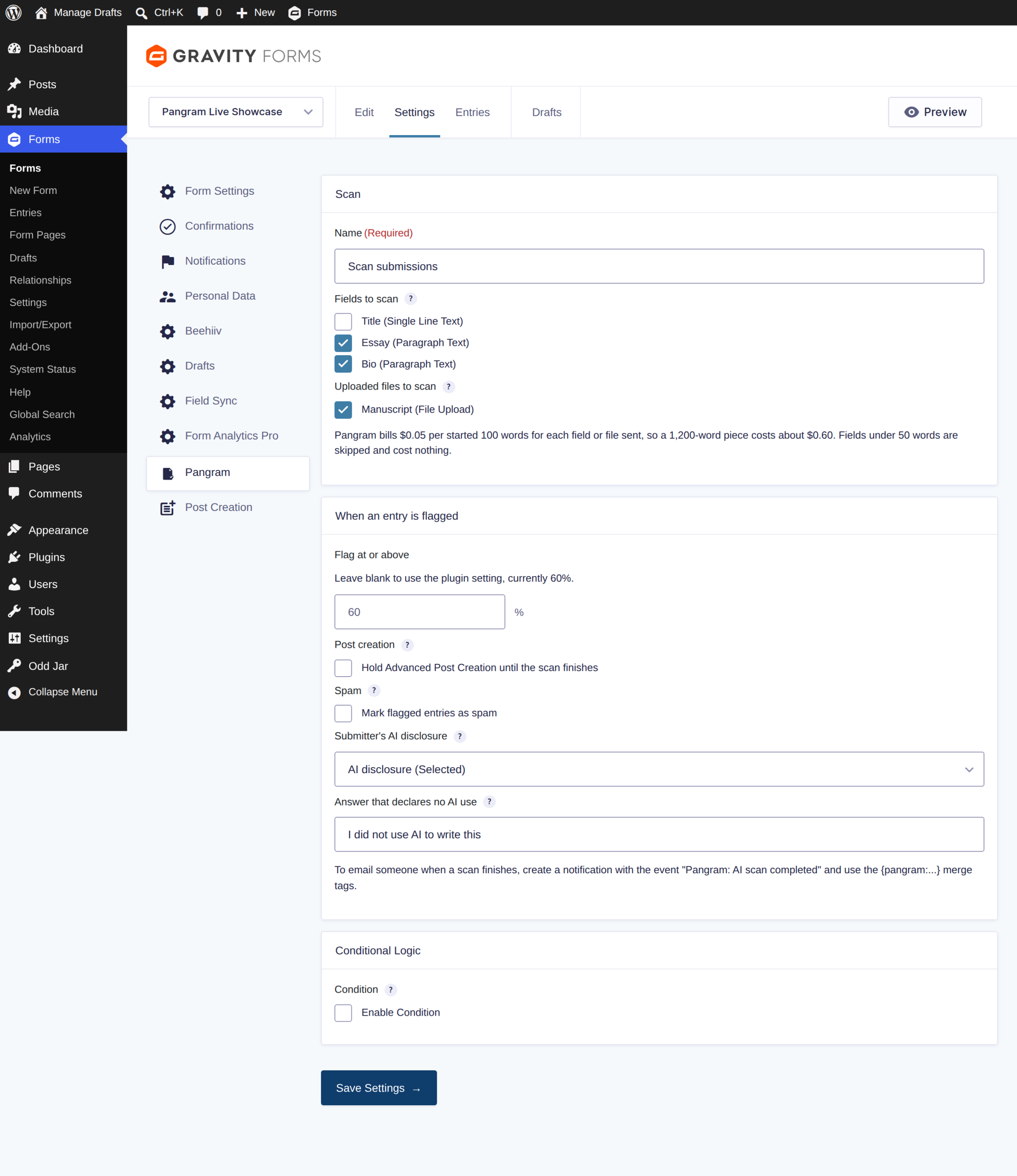
It sends the fields and uploads you choose to Pangram, the AI-text detector, when an entry arrives, and brings the answer back into Gravity Forms: a Human, Mixed, or AI verdict with a percentage in the entries list, the highlighted passages on the entry, a note in the record, and a notification event. It can hold post creation until the scan finishes and mark flagged entries as spam.
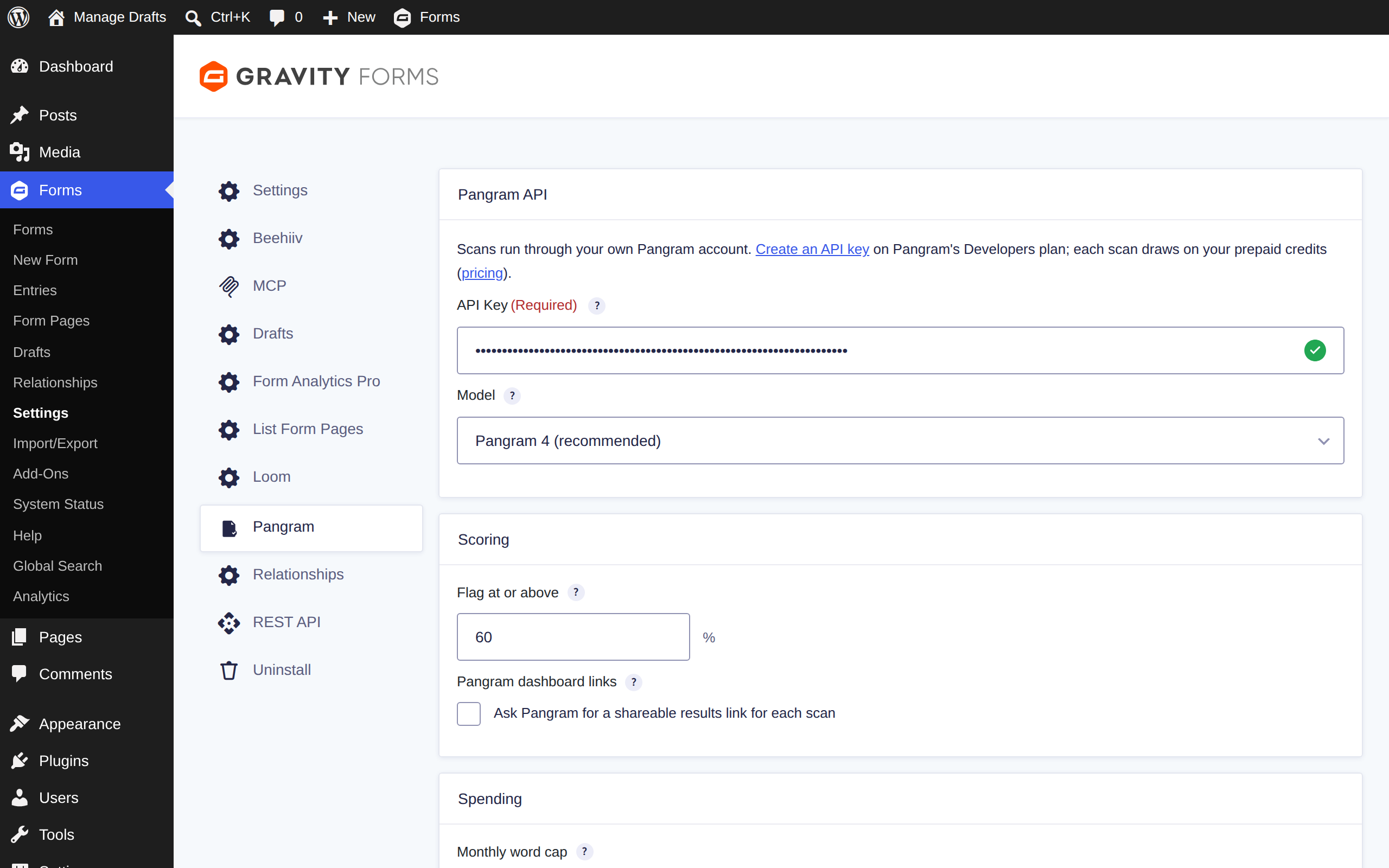
Yes, with an API key from Pangram's pay-as-you-go Developers plan, with credits from five dollars. Pangram's free web tier does not include API access. The plugin never routes your text through anyone else's account.
Pangram bills its API at five cents per started hundred words for each field or file sent, so a twelve-hundred-word story costs about sixty cents. Fields under fifty words are not sent and cost nothing. A monthly word cap under Forms → Settings → Pangram is a hard stop.
No. The scan runs after the entry is saved, in Gravity Forms' background feed queue. The visitor never waits, and the entries list shows "Pending" until Pangram answers, usually within seconds. If Pangram is unreachable, the submission still goes through; the entry records that the scan failed and can be re-scanned.
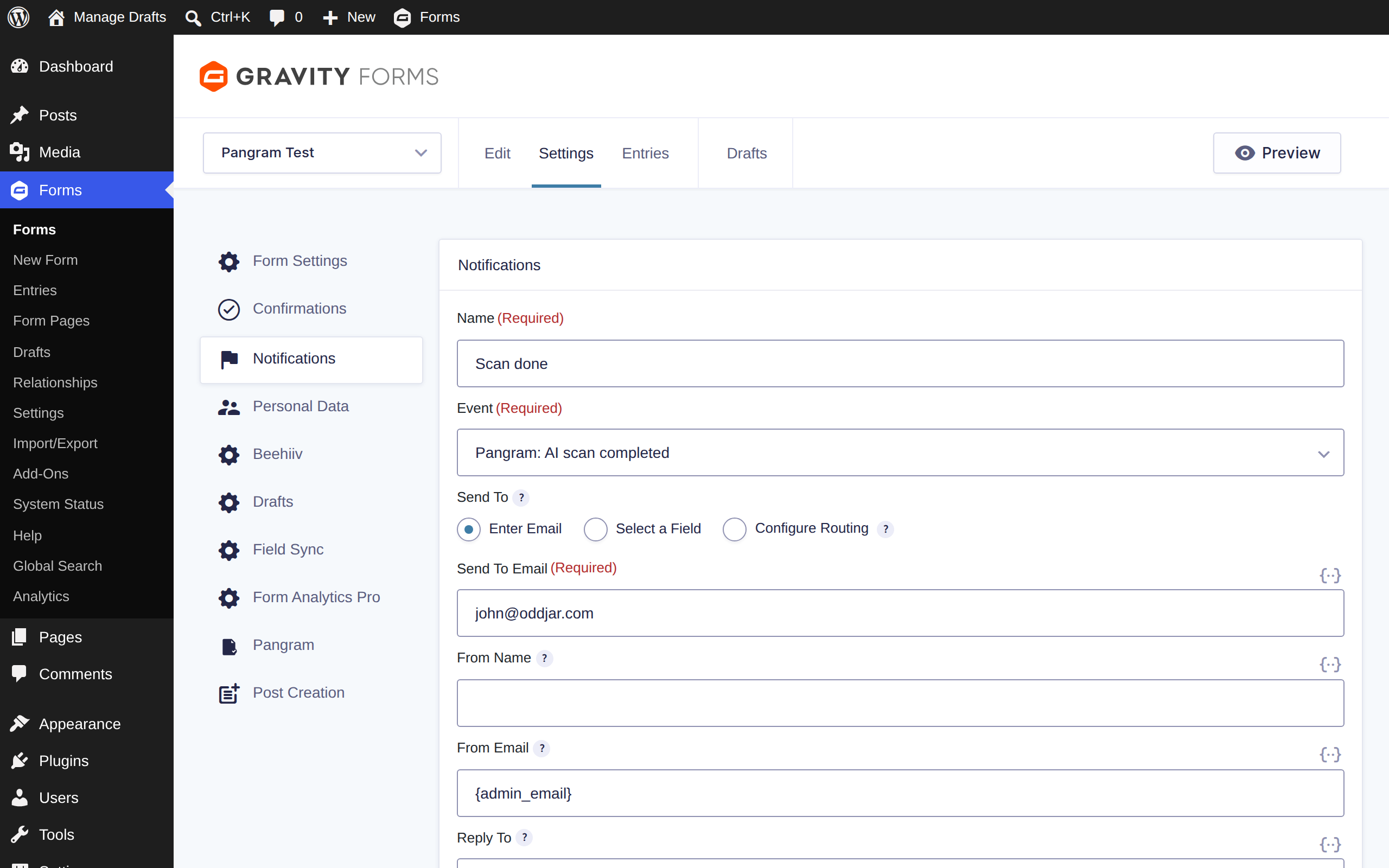
Because the score does not exist yet when Gravity Forms sends those. Use the "Pangram: AI scan completed" event for any email that needs the result, and put {pangram:verdict}, {pangram:score}, or {pangram:summary} in the message.
Detection is evidence, not proof. Pangram publishes a false-positive rate near one in twenty-four thousand for long prose, and the rate climbs for poetry, lists, code, and heavily edited text. Fields under fifty words are skipped rather than guessed at. The plugin says so on every result, and Pangram's own advice is printed beside it: have the conversation before the consequence.
No. A PDF that is only pictures of pages has no text to read, and the entry says so. Ask submitters for DOCX or text where you can; Pangram itself prefers them to PDF.
Pangram 4 supports twenty-four languages, including Spanish, French, German, Portuguese, Arabic, Chinese, Japanese, and Korean. Word counts are Unicode-aware, so a Japanese essay is not mistaken for a short one.
Only the prepared text of the fields and files you selected, over HTTPS to Pangram's servers in the United States. Names, email addresses, IP addresses, and the rest of the entry stay on your site. Pangram states that it does not train on customer text. The plugin adds a paragraph to the suggested text under Settings → Privacy so your own policy can say the same.
WordPress 6.5 or later, PHP 7.4 or later, and Gravity Forms 2.10 or later. Reading PDF, DOCX, and RTF uploads needs the PHP zip, xmlreader, zlib, and iconv extensions, which nearly every host provides.
In your SureCart account dashboard, in the order confirmation email, or under Odd Jar → Licenses once activated.

