Manage Drafts for Gravity Forms

Introducing Manage Drafts for Gravity Forms. Save & Continue lets visitors save a half-finished form to complete later — but Gravity Forms hides those drafts where no admin can see them. This add-on opens them up: a native Drafts screen where you can read, follow up on, and recover every in-progress submission.

See every unfinished submission, nudge the person to finish, and stop losing leads you never knew you had.

🚀 Now at version 1.2.0 (Released 7/20/2026)
➕ Pairs well with Global Search

Screenshots
What does it do?

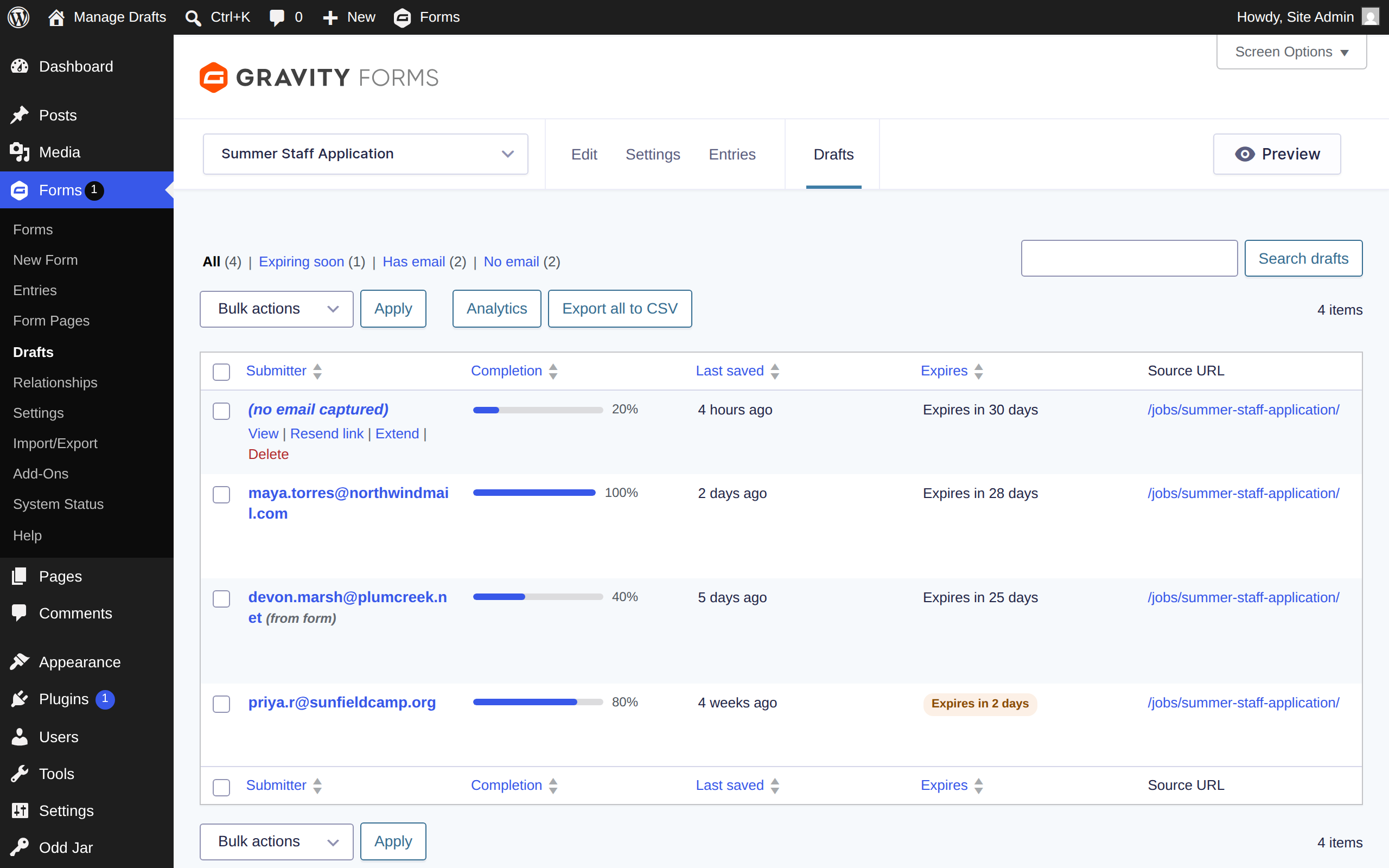
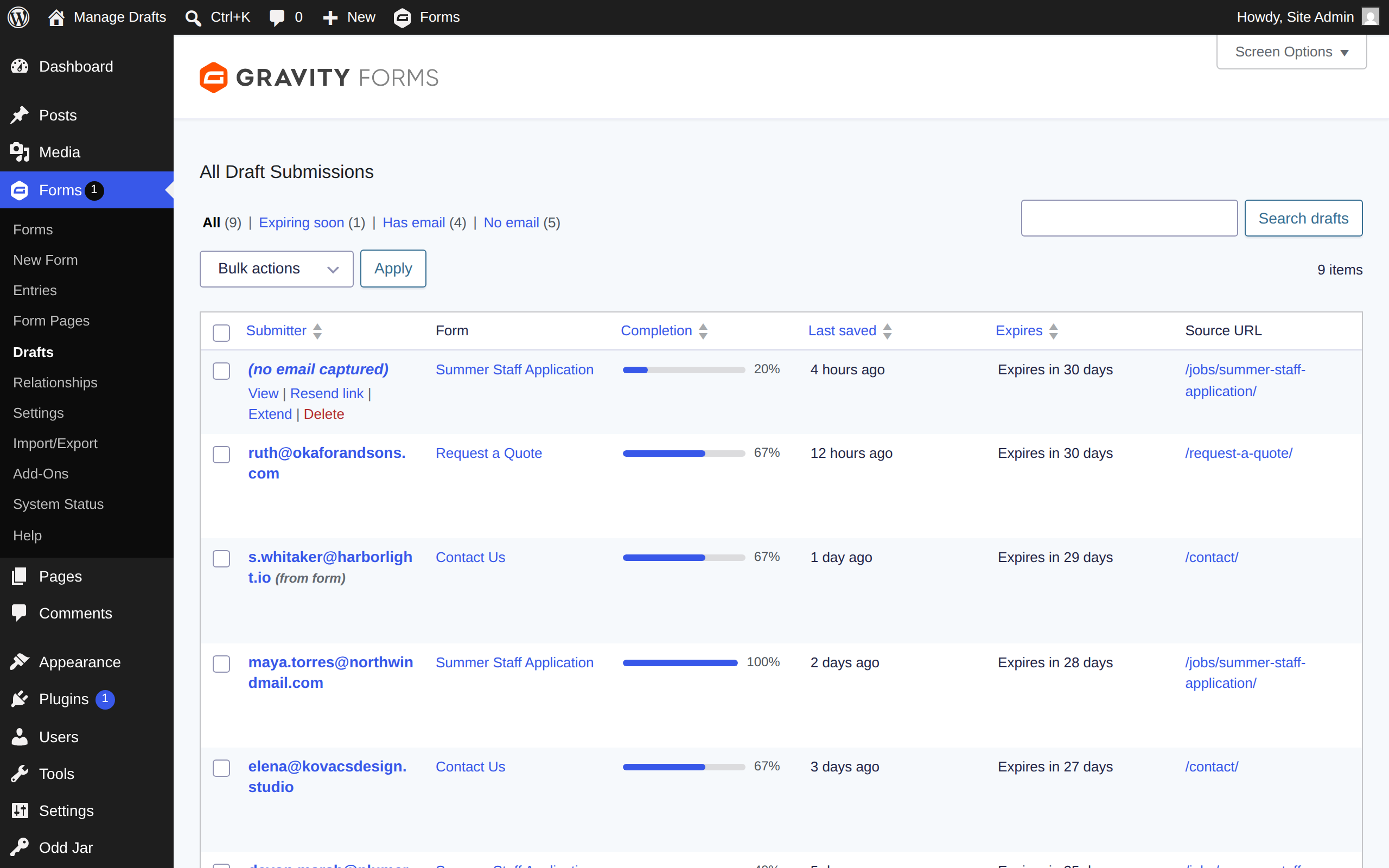
  • Adds a native Drafts screen to Gravity Forms — every Save & Continue draft, across all your forms, in one place.
  • See who was filling out the form: smart submitter-email detection works even when the visitor never used the "email me this link" prompt (derived addresses are clearly tagged "(from form)").
  • Completion at a glance — progress bars show how far each draft got, and which page of a multi-page form the person reached.
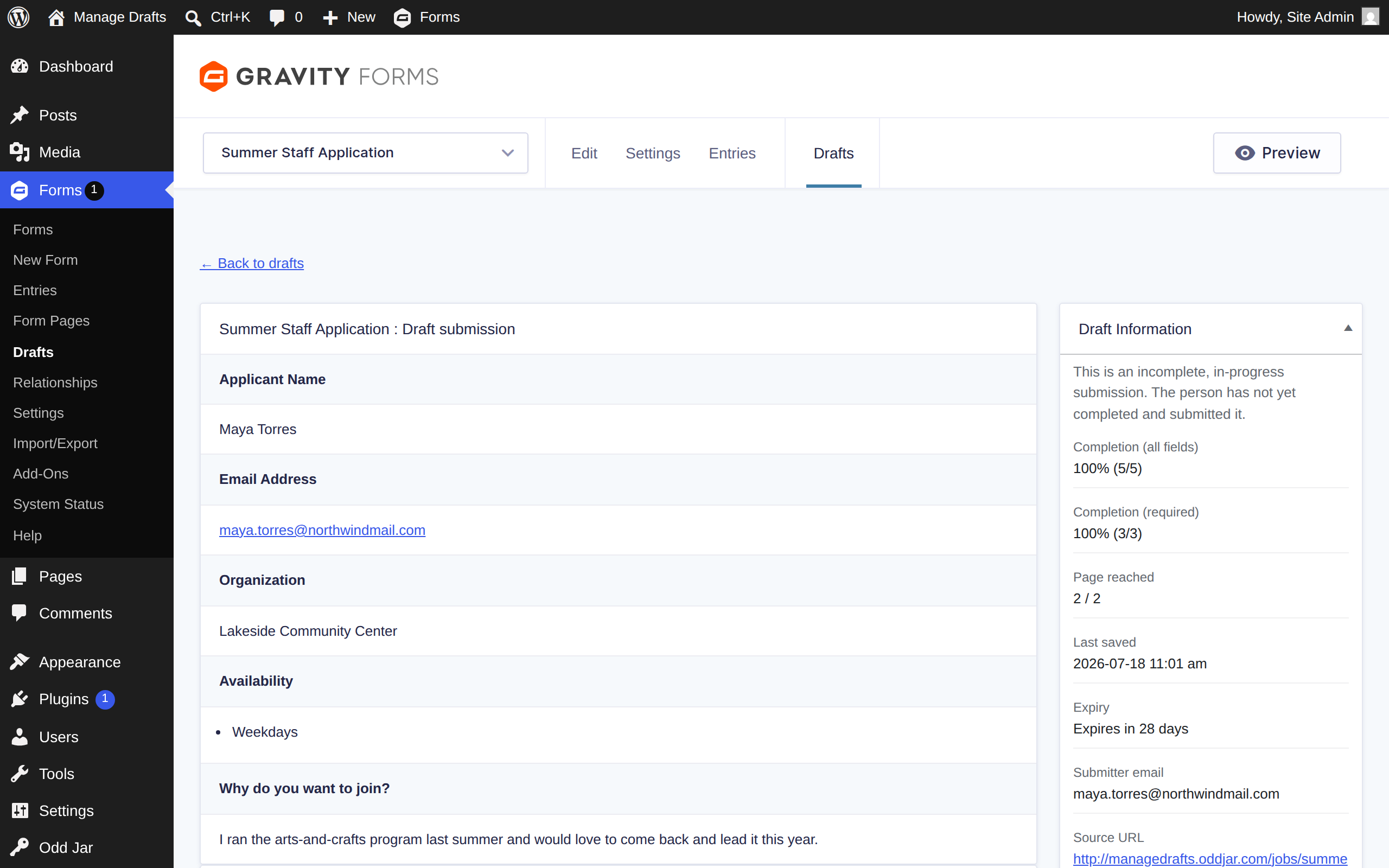
  • Read the full draft in a native, entry-style detail view — every field decoded, including pending file uploads and values from since-removed fields.
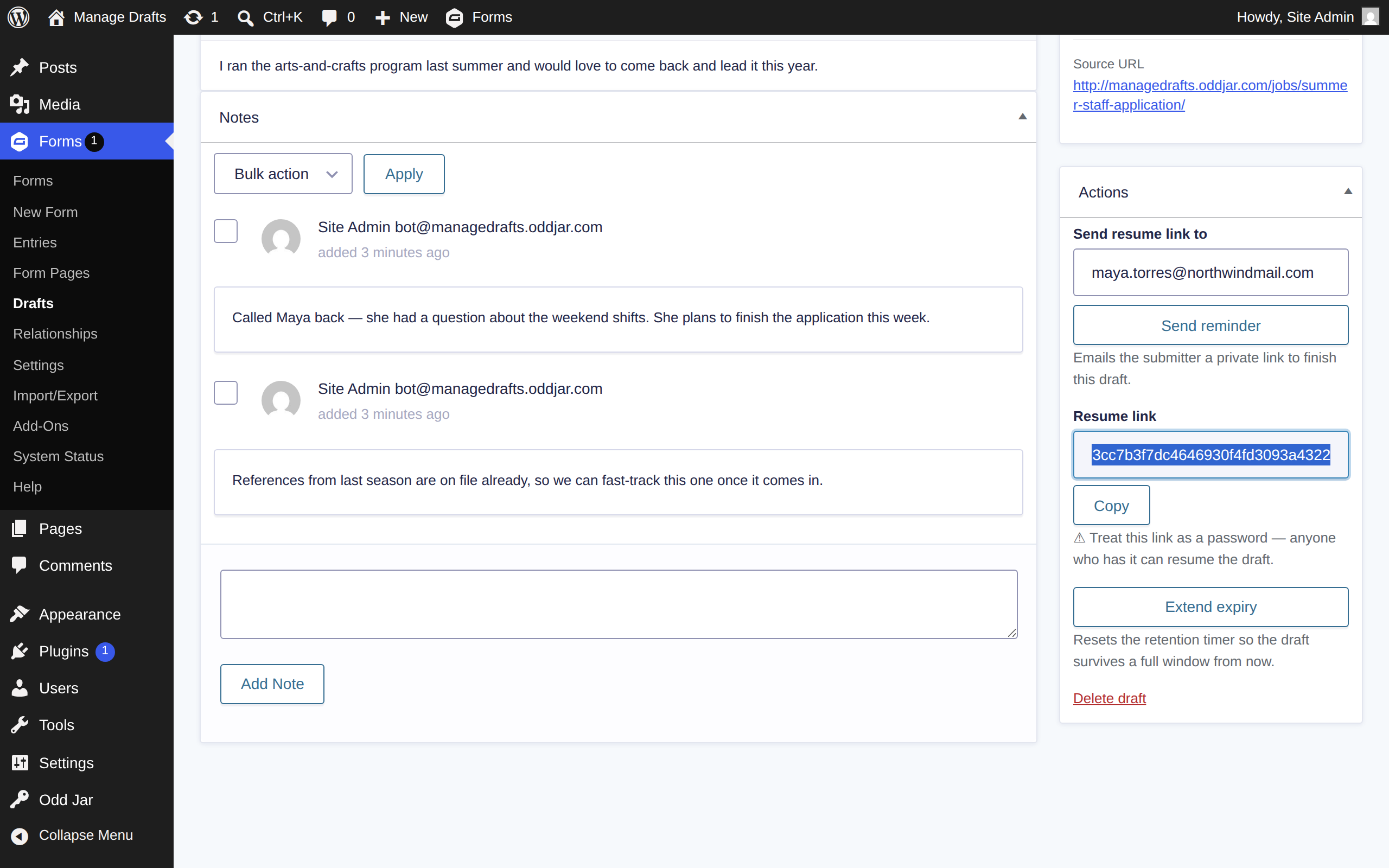
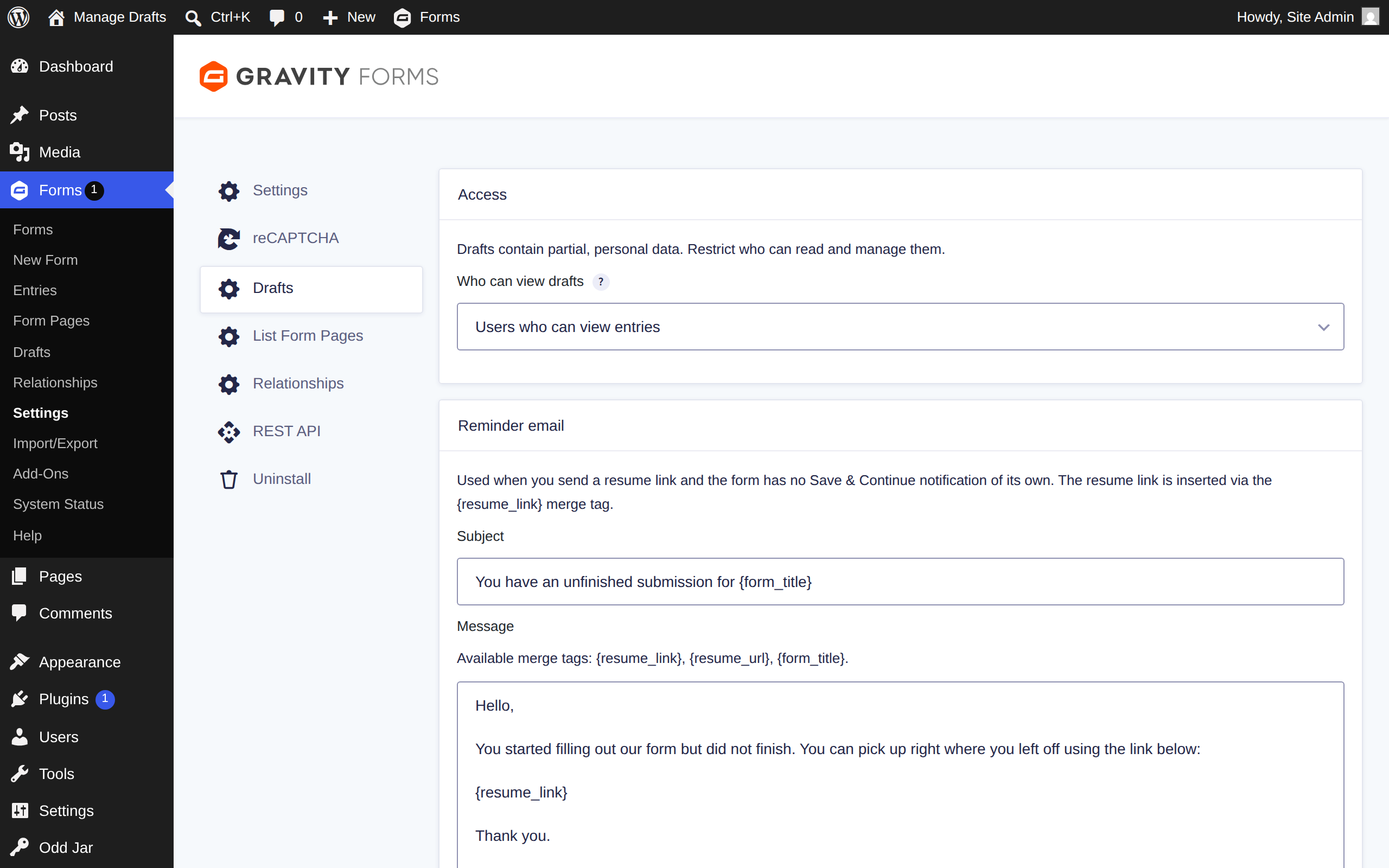
  • Send a reminder that emails the submitter their private resume link — through the form's own Save & Continue notification, or a customizable fallback template.
  • Reveal & copy the resume link on demand. The link is treated like a password: it never appears anywhere in the admin until you explicitly click Reveal.
  • Draft notes — annotate a draft exactly like a native entry note. Notes carry over to the entry automatically when the draft is finally submitted.
  • Extend expiry to keep a promising draft alive past the retention window, and delete drafts singly or in bulk.
  • Export to CSV — decoded field values and draft metadata, ready for a spreadsheet.
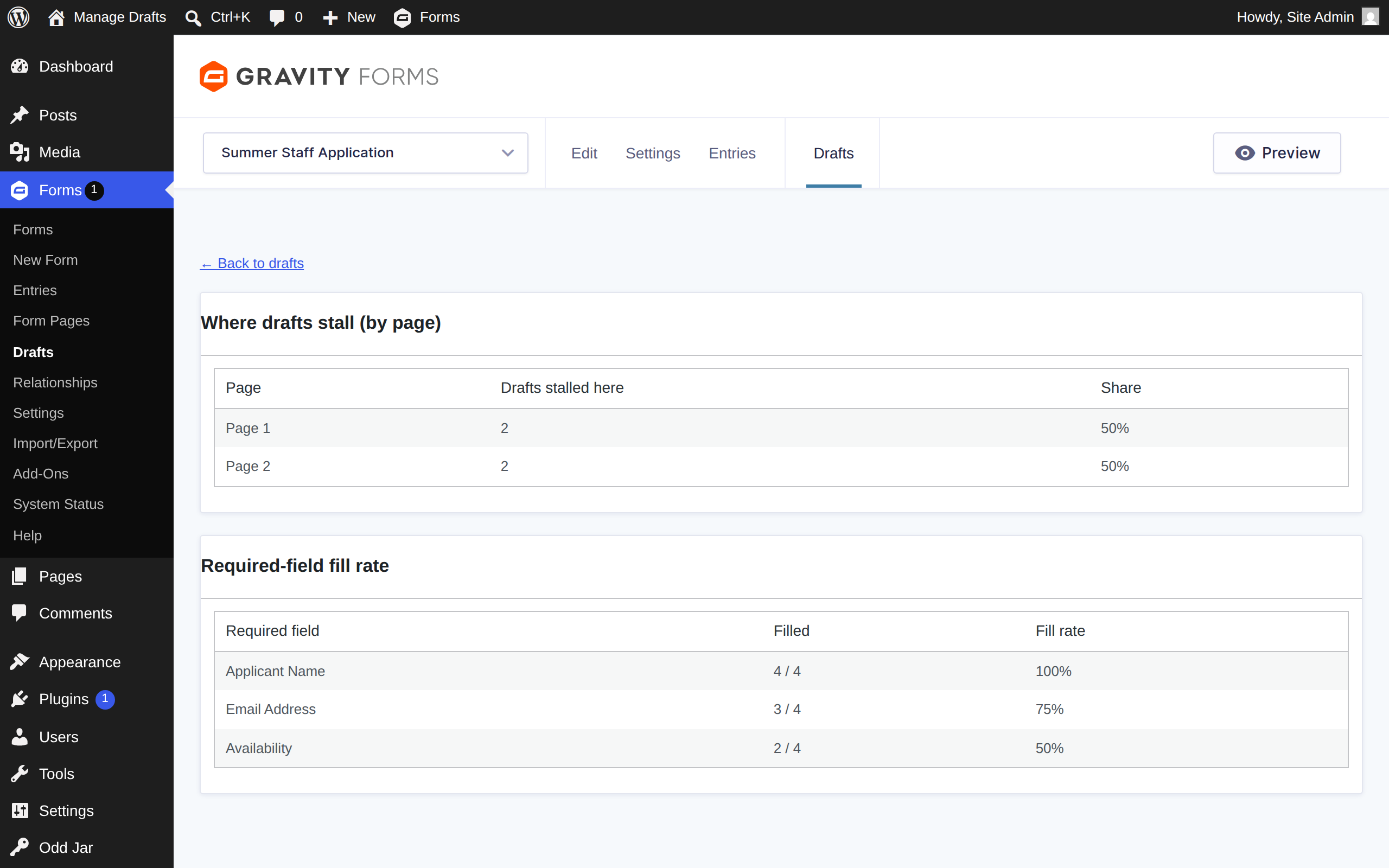
  • Stall analytics show which page drafts get stuck on and which required fields go unfilled, so you can fix the form itself.
  • A dashboard widget and an optional scheduled digest email keep aging drafts on your radar.
  • Filter tabs (Expiring soon / Has email / No email), search, sorting, and Screen Options — it looks and works like the native Entries screen because it is built on it.
  • License activation and updates on the shared Odd Jar → Licenses screen, alongside your other Odd Jar plugins.

Frequently asked questions

What does the "Manage Drafts for Gravity Forms" plugin do?

Gravity Forms' Save & Continue feature lets a visitor save a partly-finished form and come back later — but those drafts are stored invisibly, with no admin screen to see them. Manage Drafts adds that screen: a native Drafts view where you can read, annotate, remind, extend, export, and delete every in-progress submission.

Does it work with the drafts my forms have already collected?

Yes. The plugin reads the drafts Gravity Forms already stores — there is nothing to migrate and no duplicate storage. Install it and every existing Save & Continue draft appears immediately, including drafts saved before the plugin was installed.

Do my forms need anything special enabled?

Drafts are created by Gravity Forms' built-in Save & Continue feature, so a form needs “Enable Save and Continue” turned on in its Form Settings to produce drafts. Any form that already has it enabled shows up right away.

The resume link is treated like a password — anyone who has it can open the draft, so the plugin never prints it anywhere in the admin. It is shown only when you explicitly click Reveal, and emailed only to the submitter. Every screen and action is capability-gated using Gravity Forms' own entry capabilities, and you can restrict who may view drafts in the settings.

Can I email someone their form so they can finish it?

Yes — that's the Send reminder action. It emails the submitter their private resume link, using the form's own Save & Continue notification if one exists, or a customizable fallback template. The recipient comes from the confirmed address on the draft or the form's email field (always labeled with where it came from); if the form has several email fields, the plugin asks you to confirm the address rather than guessing.

What happens to draft notes when the form is submitted?

They move with it. When a draft becomes a real entry, its notes are recreated as native entry notes with the original author and timestamp preserved. Two deliberate design notes: if a draft expires or is deleted without ever being submitted, its notes are removed with it, and notes are internal annotations, so they are not included in the CSV export.

Will this plugin slow down my website?

No. It is admin-only — there is no front-end code at all, and it reads Gravity Forms' existing draft storage on demand rather than keeping copies of your data.

Which versions of WordPress and Gravity Forms are supported?

WordPress 6.5 or later, PHP 7.4 or later, and Gravity Forms 2.5 or later.

Where can I find my license key?

Your license key is available in your SureCart account dashboard. Enter it under Odd Jar → Licenses to activate updates and the licensed features.

Instructions

  1. Upload and install the plugin zip file through the WordPress plugins screen (Plugins → Add New → Upload Plugin).
  2. Activate the plugin through the 'Plugins' screen in WordPress.
  3. Activate your license under Odd Jar → Licenses to enable updates and the licensed features.
  4. Open Forms → Drafts — every existing Save & Continue draft is already there. Optional settings live under Forms → Settings → Drafts.

Changelog

  • = 1.2.0 =
  • Initial public release. (1.0–1.1 were internal development builds.)
  • Native Drafts screen: list every Save & Continue draft with search, filter tabs (Expiring soon / Has email / No email), sorting, and Screen Options.
  • Entry-style draft detail view, including pending uploads and values from removed fields.
  • Reveal & copy resume link — revealed only on demand, never stored in the page.
  • Draft notes that migrate to the entry's native notes when the draft is submitted.
  • Send-reminder emails, expiry extension, bulk actions, and CSV export.
  • Stall analytics, dashboard widget, and a scheduled aging-draft digest.
  • Odd Jar unified licensing with automatic updates.

Money back guarantee

We offer a 14-day refund period, no questions asked. If you’re not happy with your purchase, just let us know.